Give your book another way to be read.
You already have the manuscript. Make an audio edition for readers who would rather listen on a walk, on the commute, or away from a screen.
Turn your finished manuscript into an audiobook without recording every line yourself or buying more cloud credits for every new take. Direct the voices, refine the performance, and finish the book on your Mac.
Local AI narration. One-time Full licence per major version. Coming to Mac.
An audio edition can become another project to budget, record, and manage. EchoLive gives independent authors a way to make it themselves, one chapter at a time.
Keep the creative decisions. Choose the voices, listen critically, and revise until you’re happy with the result. Let local AI handle the narration while you direct the book.
You already have the manuscript. Make an audio edition for readers who would rather listen on a walk, on the commute, or away from a screen.
Local narration runs on your Mac. Explore another delivery or regenerate a passage without buying another pack of cloud generation minutes.
Your text, cast, recordings, and timeline live in one project. Keep working on the book instead of moving files between a generator and a separate editor.
Real screens from the desktop app.
Open any image for a closer look.
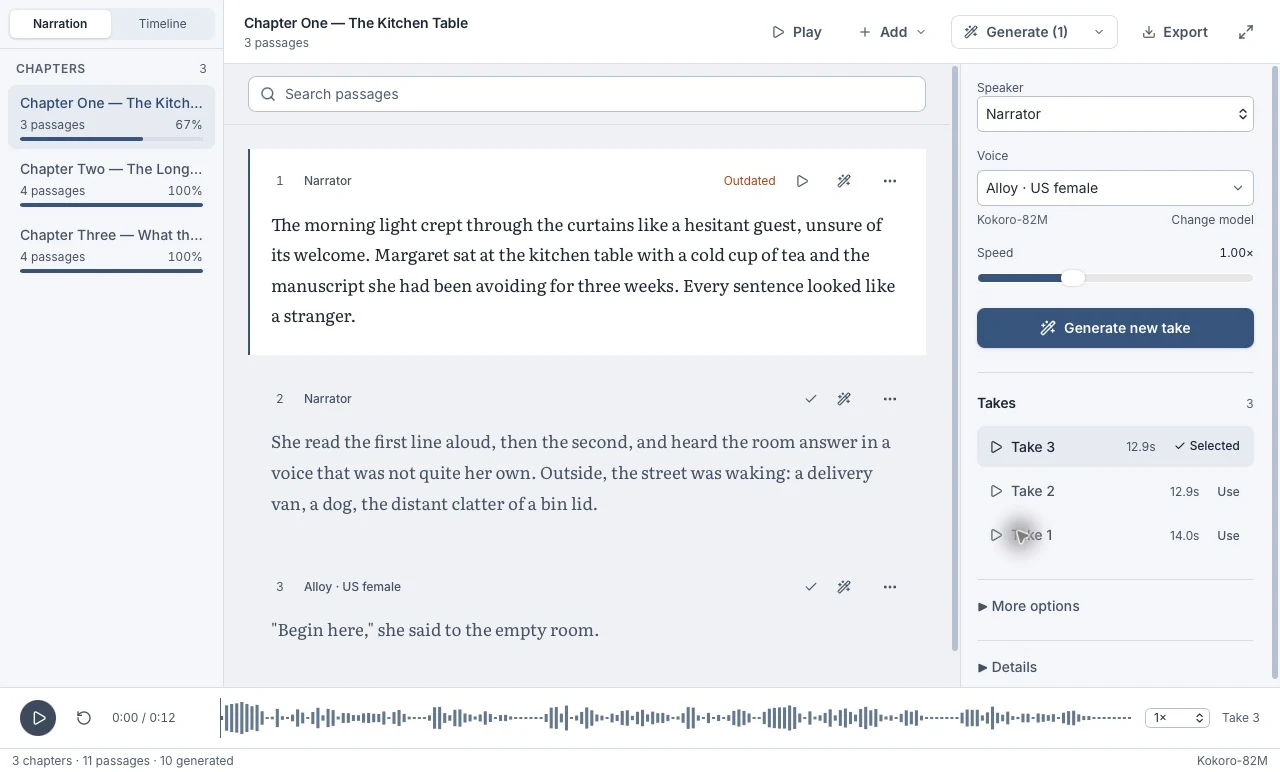
Bring in your manuscript, organize its chapters, and choose who speaks. Generate narration locally instead of recording every line yourself.
Actual development screenshots, cropped to highlight the tools. Interface may change before launch.
For authors and small teams
who want to direct their own audio.
Give your narrator and characters distinct voices. Shape the pauses and delivery that make a scene work when it’s heard.
Make your book available to listen to. Set pronunciations for names and specialist terms, then review it chapter by chapter.
Keep the cast, recordings, and edits together. Revisit the project when you need another change, then export chapters or a complete book.
Local voice generation. Projects saved on your computer. A Full licence you purchase once for the current major version.
Tell me when it’s readyDownload a voice model and generate locally. Account activation and periodic licence checks require internet.
Keep your manuscript, takes, and edits together in a local project. Export the audio when you’re ready.
Full includes minor and build updates for that major version. Future major upgrades require a new licence. Launch pricing is still to come.
EchoLive Desktop is a manuscript-to-audiobook studio. It brings local AI narration, character casting, take comparison, timeline editing, and book export into one Mac app. It is a new desktop product, separate from the retiring web and mobile apps.
The desktop app is in development. We haven’t announced a public release date. Join the launch list and we’ll email you when it’s ready, with availability and pricing details.
The initial release is being built for Apple Silicon Macs running macOS 14 or later. Windows, Linux, and Intel Mac availability have not been announced.
Yes. The desktop workflow uses local voice models, with model downloads managed inside the app. Internet is needed for initial downloads, account activation, and periodic licence checks. Full access currently supports up to seven days between online checks.
Full is planned as a one-time purchase for the current major version, including its minor and build updates. Future major versions require a new licence. We’ll share the launch price and Free edition details when availability is announced.
The web and mobile apps are retiring. Desktop is a separate product with local generation and its own licence; web minute packs are not desktop generation credits. Existing users can still access the web app and contact us about their account.
Get the launch email with availability and pricing, plus occasional desktop updates.
Tell me when I can try it Built for Apple Silicon Macs. Public launch date and pricing to be announced.